Payment Method
The Payment Methods section allows you to add, manage, and remove payment options for your Savanna account.
Add a new Payment Method
-
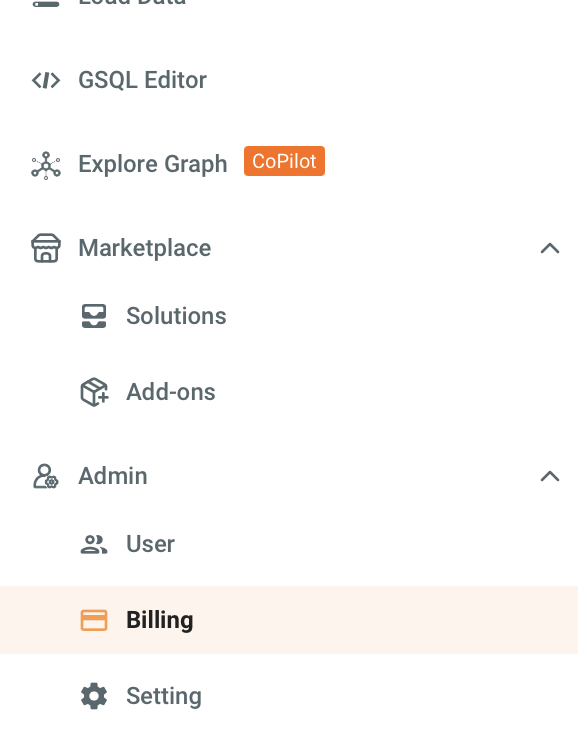
Navigate to the Billing tab in the left navigation.
-
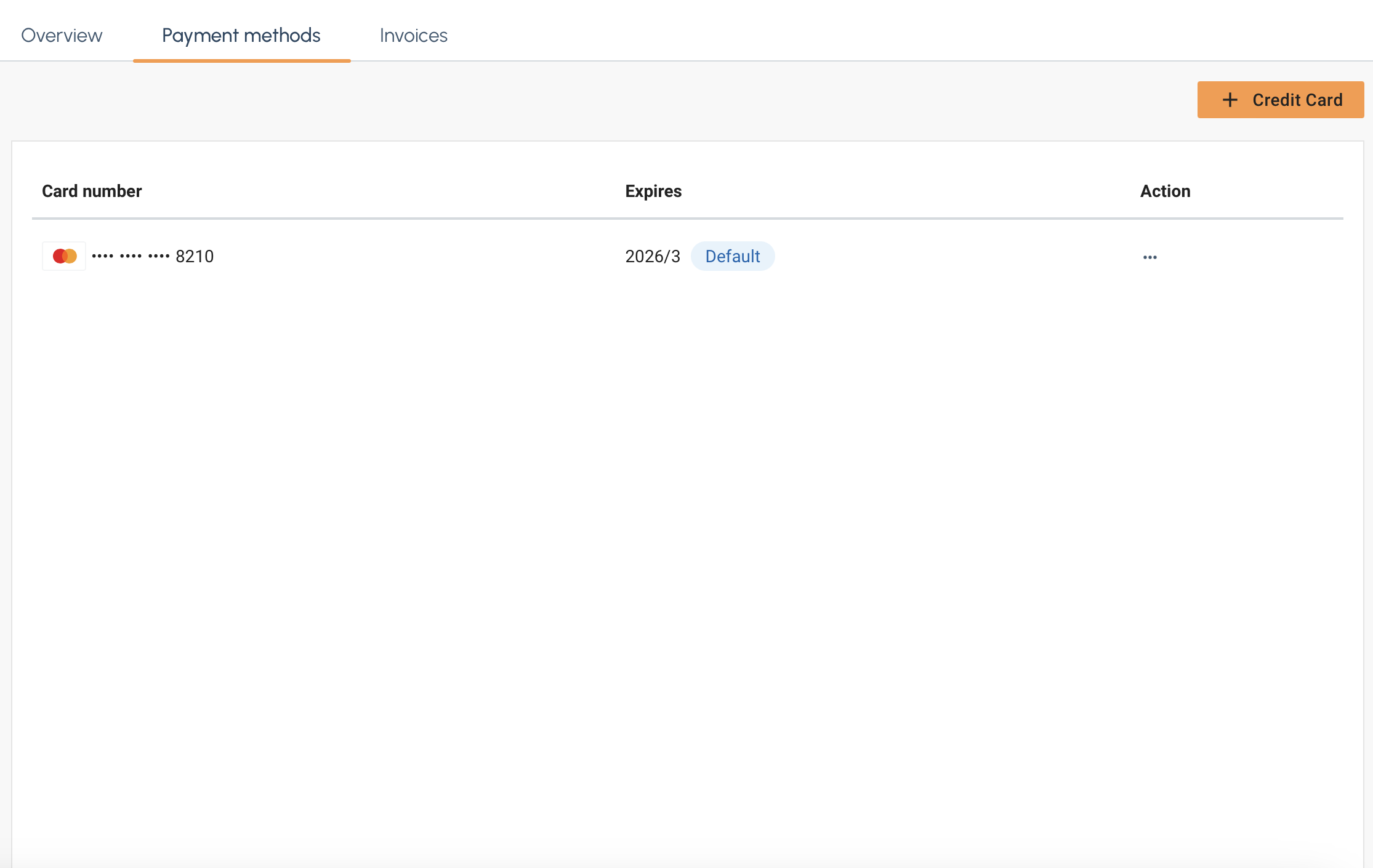
Select the Payment Method tab and then select the + Credit Card button on the right.

-
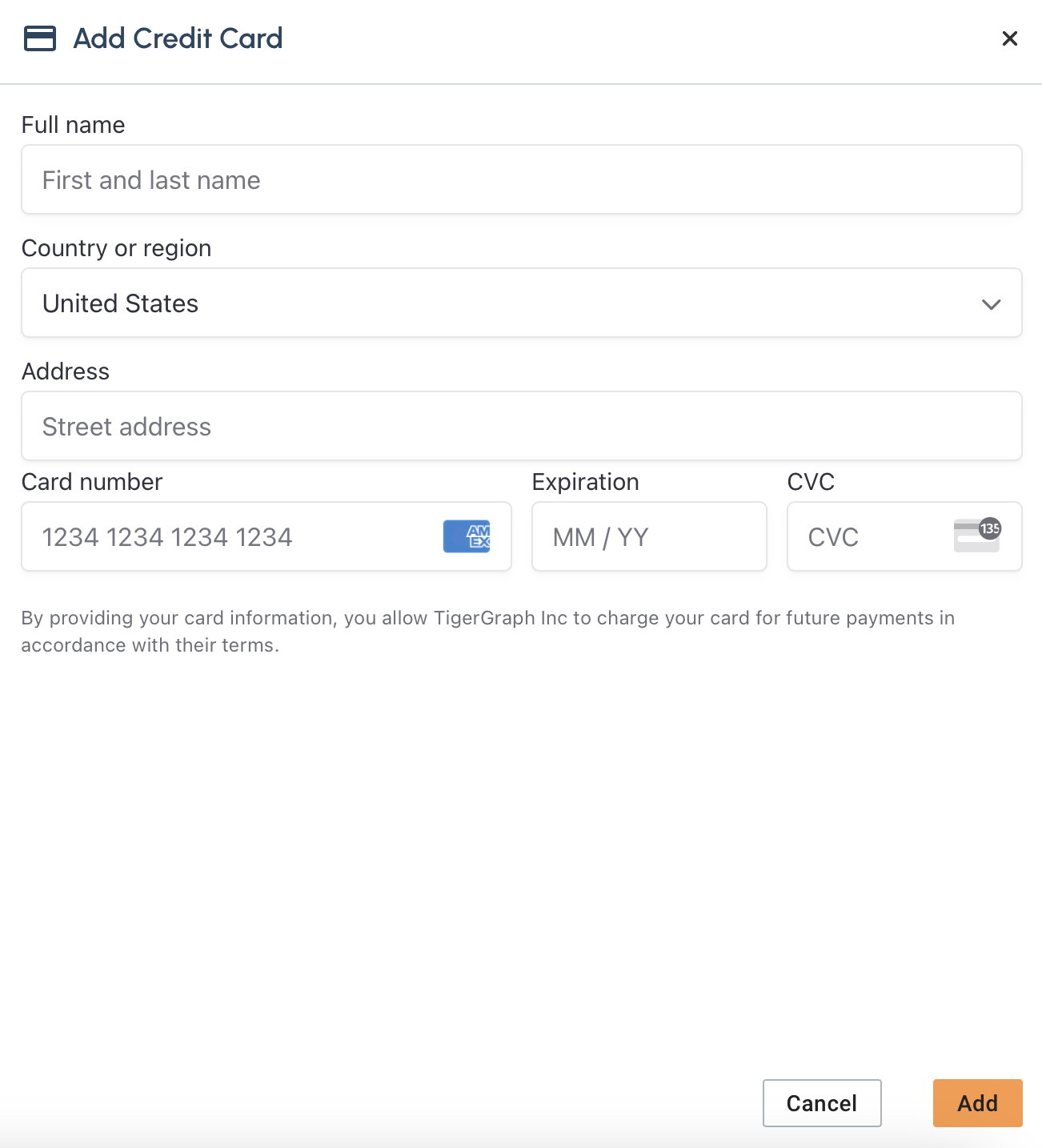
The Add Credit Card panel should apper on the right.
-
Fill in your credit card information and select Add
-
After you select Add you new payment method should appear in the list.
Delete a payment method
-
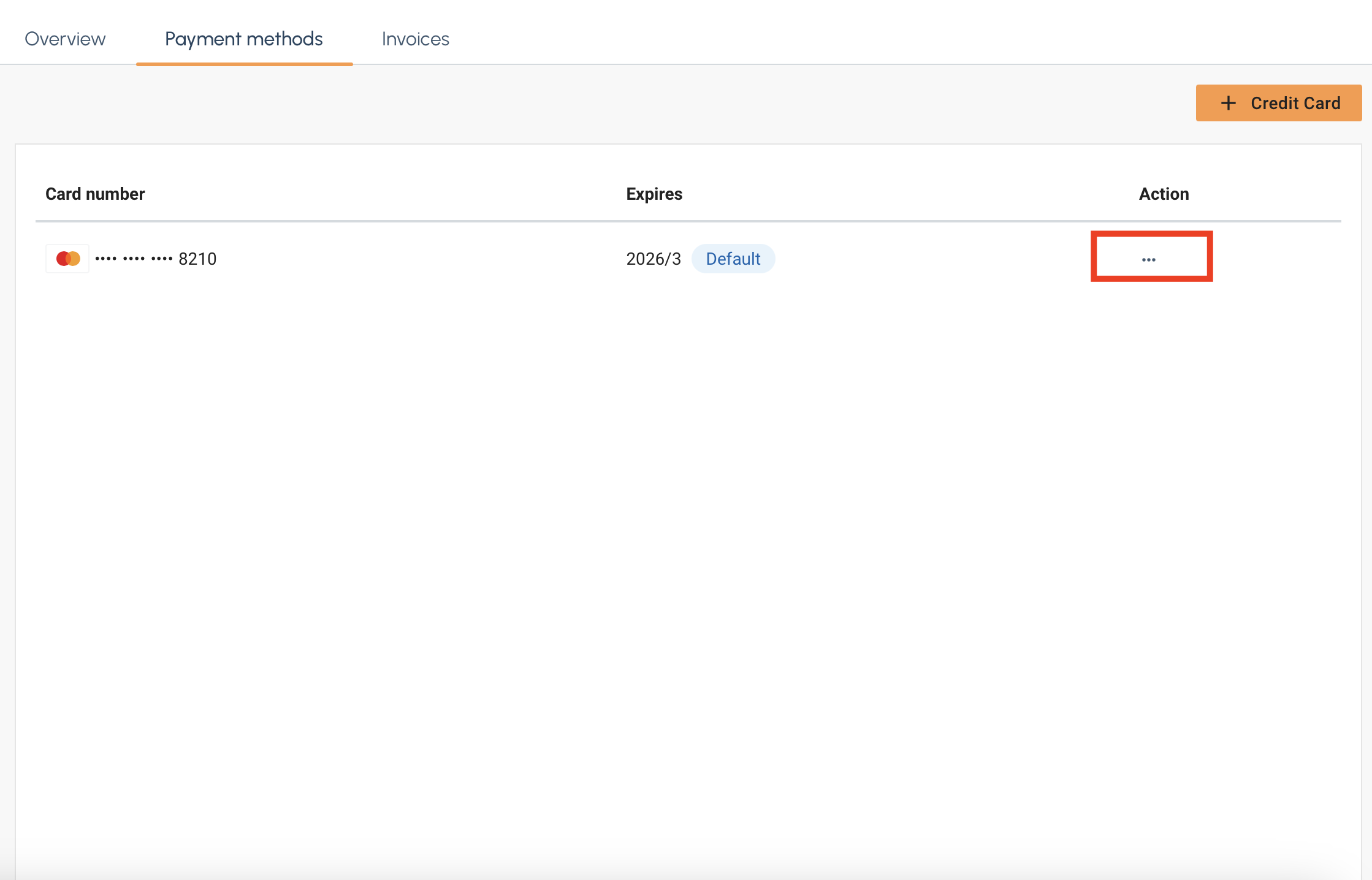
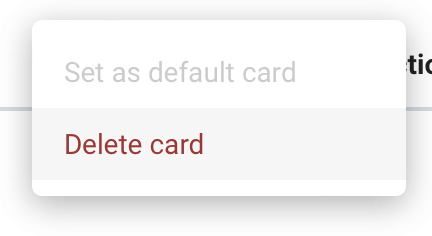
First, in the payment method list select the … under the Action column.
-
Click on Delete Card and the card will be removed from the list.
Subscriptions
You can also pay for Savanna via AWS marketplace subscription.
|
Upon subscription, AWS Marketplace subscription will only be set as the default payment method if there is currently an invoice balance of 0 and no existing usage. If you have an existing account or would like to switch payment methods to AWS Marketplace, please contact support@tigergraph.com. |
-
Click the link above to navigate to our AWS Marketplace listing.
-
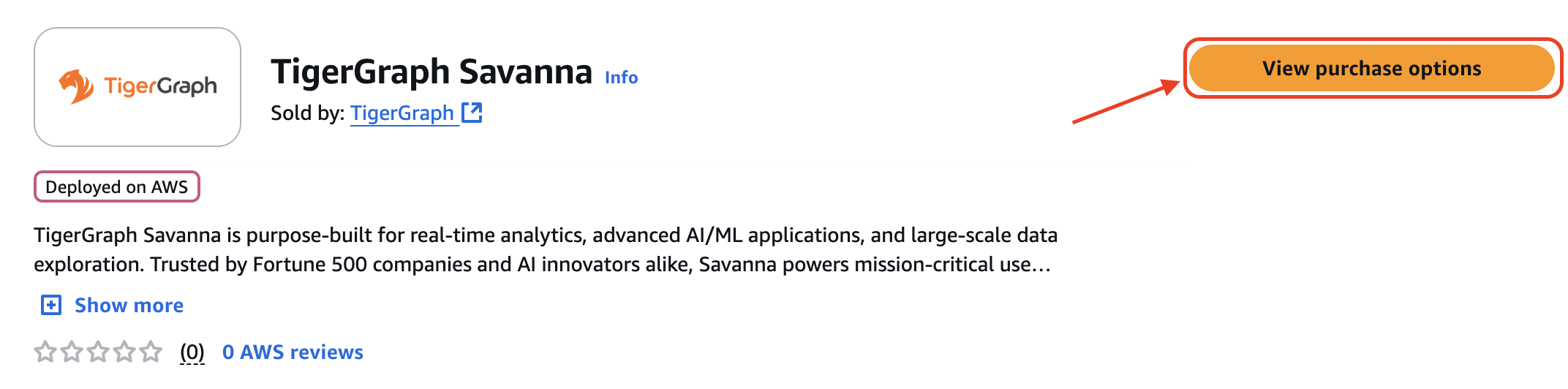
Select the View purchase options button on the right.
-
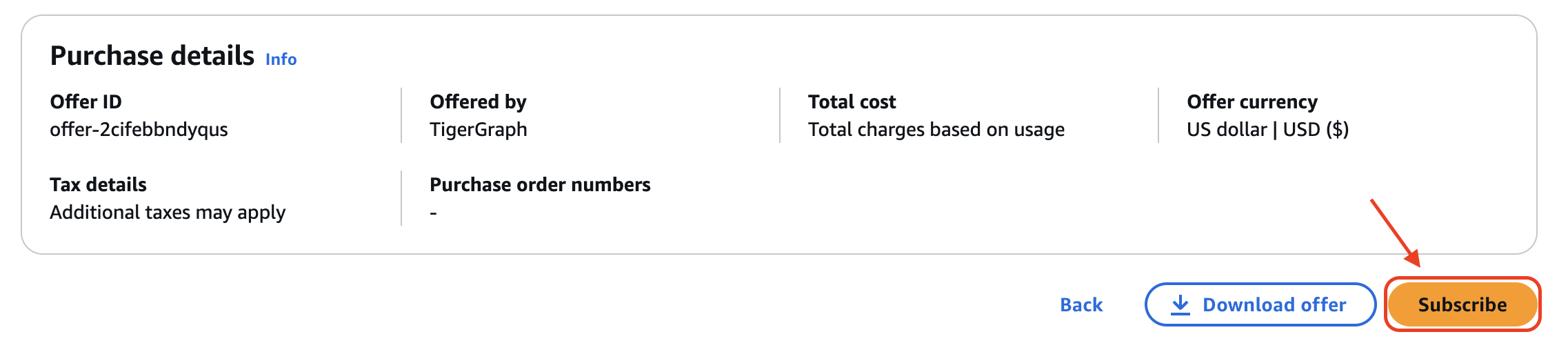
Scroll down to the Subscribe button on the left and select it.
-
A pop up will then appear at the top. Select the Set up your account button on the right to be redirected to Savanna.
If you are not signed in, please sign in to Savanna then click the link again to be redirected to the proper page. 
-
Navigate to the Billing tab in the left navigation panel.
-
Select the Payment Methods tab at the top. Your AWS Marketplace subscription should now appear with its status.
If it says pending, please wait then refresh. It should be activated momentarily. 
Once subscribed, AWS Marketplace becomes the only available payment method. To change your payment method, you must first unsubscribe from AWS Marketplace.
|
If you subscribe mid-billing cycle, the current cycle is charged to your existing credit card. AWS Marketplace metering begins at the start of the next billing cycle. |
Unsubscribe from AWS Marketplace
To unsubscribe from AWS Marketplace, follow the steps below:
-
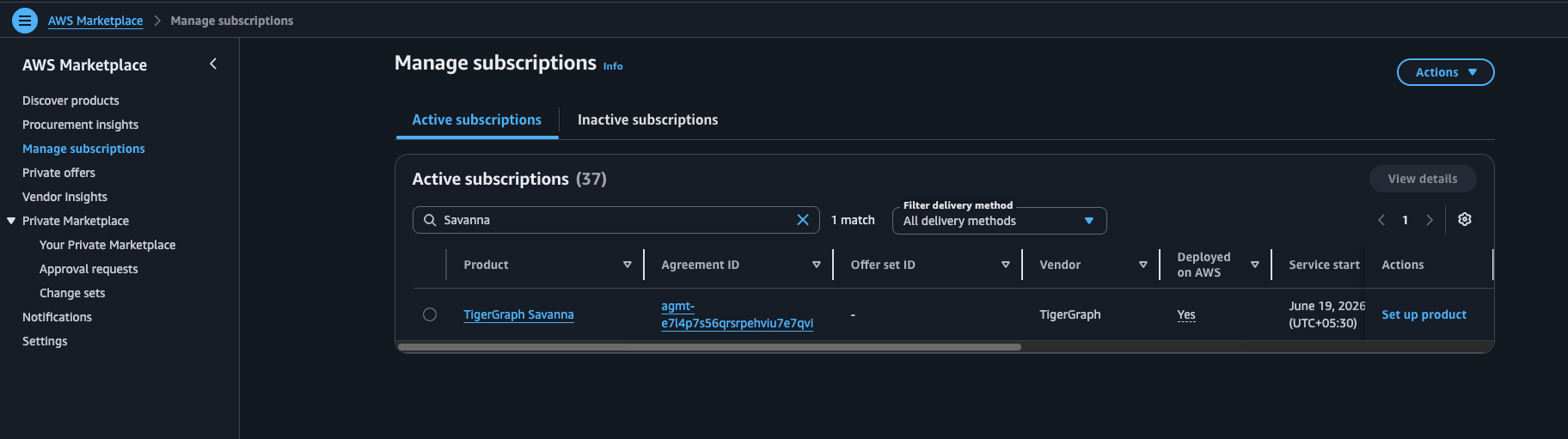
Navigate to Manage subscriptions in AWS Marketplace and locate the TigerGraph Savanna subscription under Active subscriptions.
-
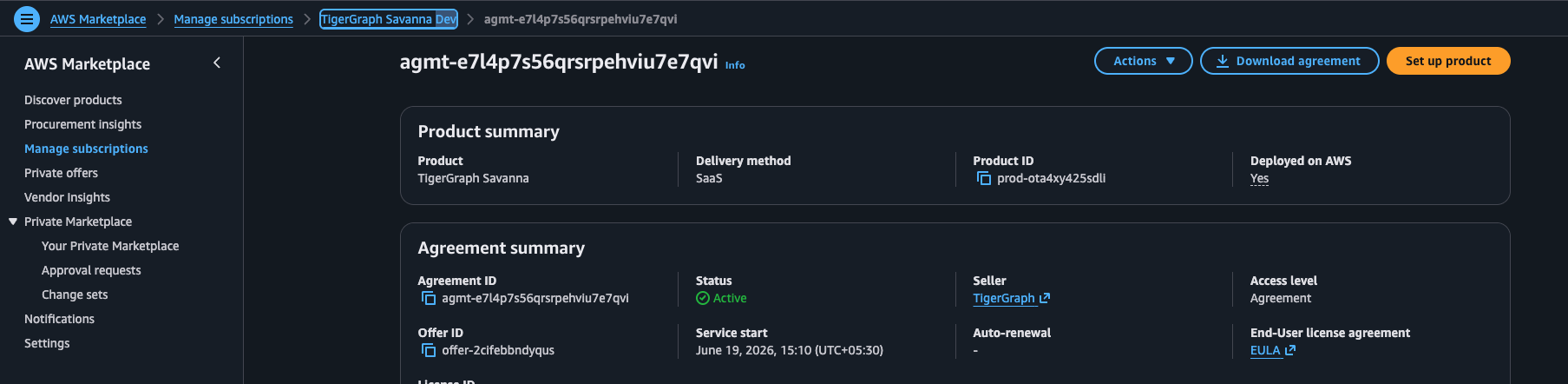
Click the Agreement ID to open the subscription details page.
-
On the subscription details page, click Actions in the top-right corner.
-
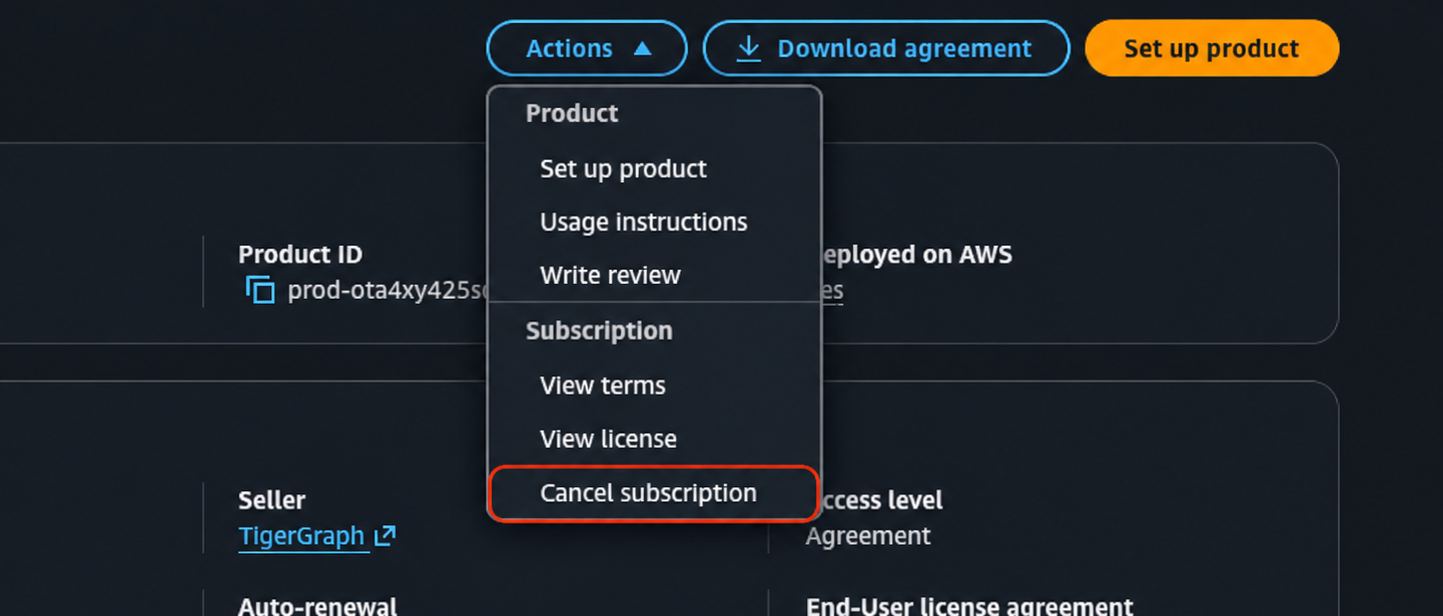
From the Actions menu, select Cancel subscription.
If the AWS Marketplace subscription has been cancelled and no other payment method is configured, click Add Credit Card on the Payment Methods page.
Billing After Canceling Your Subscription
If your AWS Marketplace subscription is canceled, complete the following steps to keep using Savanna without interruption:
-
Add a valid payment method to your Savanna account.
-
Contact savanna-support@tigergraph.com to reconcile any outstanding usage charges and avoid duplicate billing.
Usage up to the cancellation date is billed through AWS Marketplace. After that date, TigerGraph bills usage directly, using the payment method on the account.
Grace Period
If a subscription is canceled with no active payment method, the following grace periods give organizations time to complete the transition:
-
Suspend Grace Period: Starts on the cancellation date. Add a valid payment method before this period ends to keep workspaces running. If no payment method is added in time, workspaces are suspended and the Termination Grace Period begins.
-
Termination Grace Period: Starts once workspaces are suspended. Add a valid payment method before this period ends to restore access. If no payment method is added in time, workspaces and their database resources are permanently deleted. Data recovery may not be possible after deletion.
Grace period durations vary by subscription tier. See Subscription Plans and Quota Policy for details.
Example Timeline
An organization cancels its AWS Marketplace subscription on July 10, 2026.
-
July 10: AWS Marketplace bills usage up through today. No payment method is added yet, so the Suspend Grace Period begins.
-
July 12: The organization adds a payment method. TigerGraph now bills usage directly, and Savanna keeps running without interruption.
-
July 15: The organization reaches out to TigerGraph Support. TigerGraph reconciles the usage already billed through AWS Marketplace and applies the necessary credits.
Next Steps
Next, learn about other billing topics on the Billing Overview page or check out the Resources section.
Return to the Overview page for a different topic.